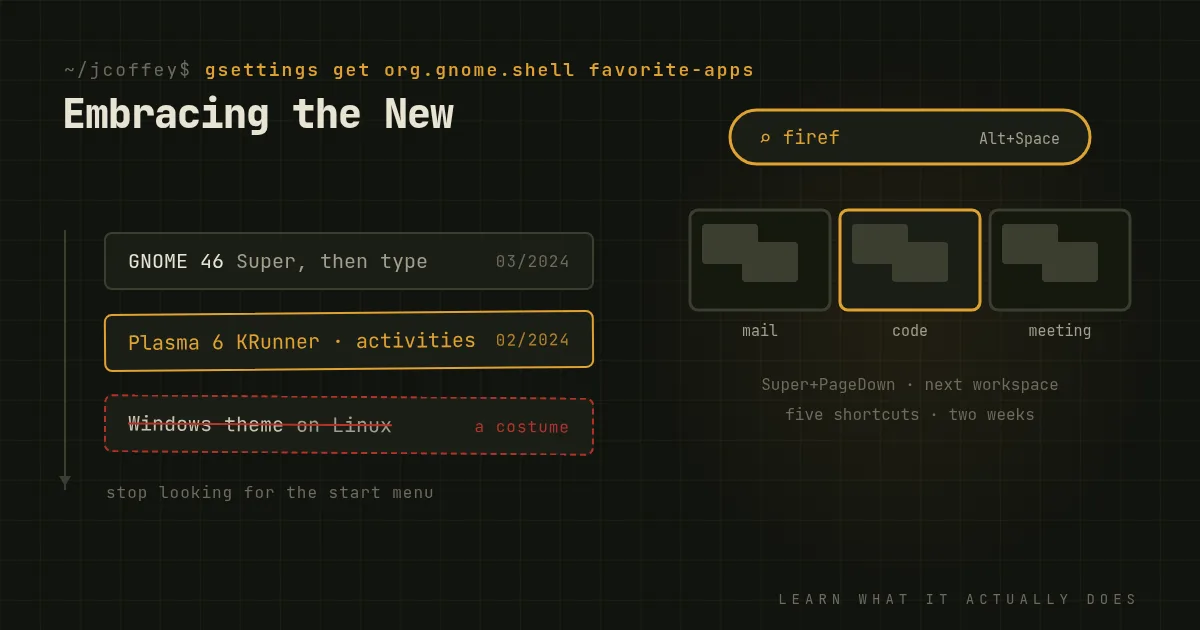
Watch someone install Linux for the first time and there's a good chance the next hour goes like this: install a Windows-style theme, put a start menu in the corner, move the taskbar to the bottom, maybe find icons that look like Explorer. Some distributions, like Zorin OS, even offer a "make it look like Windows" button.
I understand the impulse, and for the first week it's even sensible. A familiar layout makes a big change less frightening. But if that's where it stops, you've moved to a new house and kept living out of the boxes. The Linux desktops have spent years building ways of working that are genuinely better than the ones you left, and imitation hides them.
Why imitation falls short
- It's surface only. A Windows theme changes how the desktop looks, not how it behaves. You still have a different file manager, different settings, different conventions, now hidden behind a costume that suggests they should work like Windows. They don't, and the mismatch is more confusing than an honest difference.
- Themes break. Third-party themes and extensions often lag behind desktop updates, and an upgrade can leave you with a half-styled, inconsistent desktop.
- You skip the good parts. The features that make these desktops worth using are the ones that don't exist on Windows.
What's worth learning
GNOME has the most opinionated design, and version 46 came out this spring. Its whole model is keyboard-first:
- Press the Super key, start typing, and you can launch apps, open files, search settings or do a calculation without touching the mouse.
- Dynamic workspaces appear when you need them and vanish when you don't. Put each task, say email, coding or a meeting, on its own workspace, and switch with
Super+PageUpandPageDown. - The Activities overview shows every window and workspace at once.
- GSConnect links your Android phone for notifications, file transfer and texting from the desktop.
It takes about a week to stop reaching for a taskbar. After that, many people find it hard to go back.
KDE Plasma 6, released in February, is the opposite philosophy: configure everything. It looks traditional by default, but underneath:
- KRunner, on
Alt+Space, launches apps, searches files, converts units, runs calculations and much more. - Activities are separate desktops for separate contexts, each with its own widgets, files and recent documents. Work and personal can genuinely be separate.
- Window rules let you set per-application behavior: always open this app on that screen, at that size.
- KDE Connect does what GSConnect does, natively and better.
- Built-in tiling lets you snap windows into custom layouts.
Tiling window managers like Sway and Hyprland go further still: windows arrange themselves automatically and everything is driven from the keyboard. They're not for everyone. But for people who live in terminals and editors, nothing is faster.
A gentle way to get there
You don't have to throw out everything you know on day one.
- Start with the default layout of whatever desktop your distribution ships, not a Windows theme. If the default is truly unbearable, choose a distribution whose default suits you, like Linux Mint with Cinnamon, rather than disguising another one.
- Learn five shortcuts in the first week: the launcher, switching windows, switching workspaces, moving a window to another workspace, and snapping windows side by side. That's most of the productivity gain.
- Give it two weeks before deciding you hate it. Your first impressions are muscle memory complaining.
- Then customize toward how you work, not toward how your old computer looked.
Why it matters
Moving to Linux is a chance to rethink how you use a computer, not just which company's logo is on it. The people who get the most out of it are the ones who stop asking "where's the Start menu?" and start asking "what's the fastest way to do this here?" The answer is usually better than what they had.
Since then
Added October 2026. The desktops kept getting better. System76 released its new COSMIC desktop, with tiling built in from the start, and GNOME and KDE both shipped major improvements to HDR, fractional scaling and accessibility.