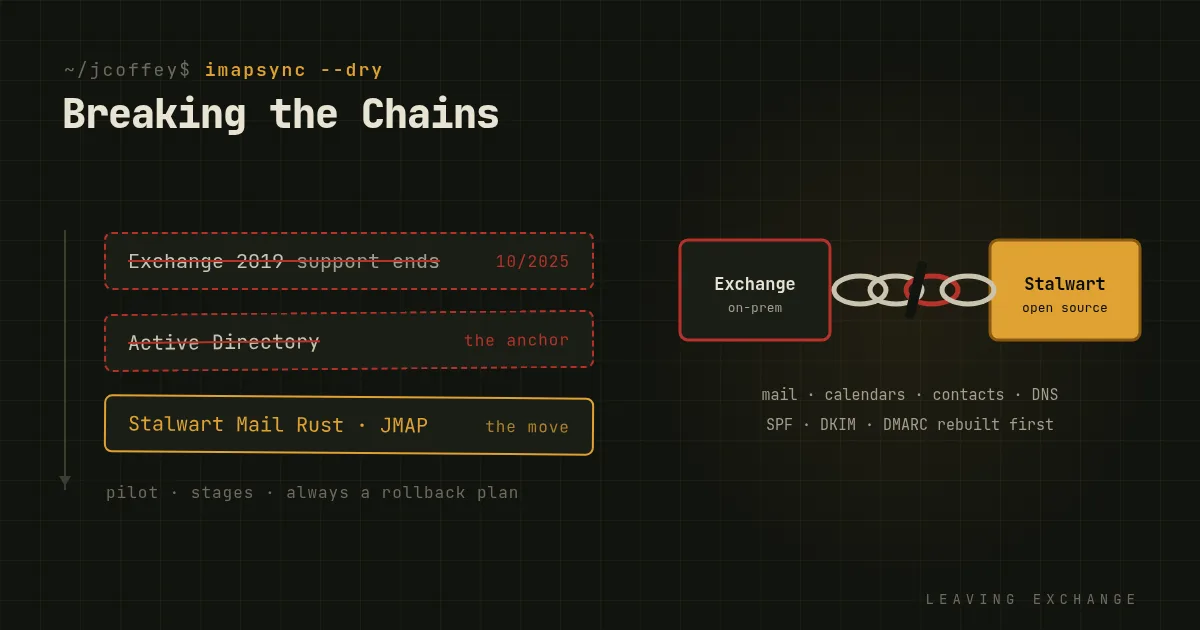
Moving off Microsoft Exchange is not just another IT project. For most organizations, email is the last system they want to touch. It's critical, it's tangled into everything, and it's usually been running long enough that nobody remembers how half of it was set up.
That's the reason it's worth doing carefully, and soon. Exchange Server 2016 and 2019 reach the end of support on October 14 this year. After that, no more security fixes.
Why email migrations are so painful
Email is the backbone. It carries the business's conversations, alerts, legal notices and customer relationships. If it goes down, or loses mail, everyone notices within minutes.
Everything is tied to Microsoft. Exchange is woven into Active Directory, Outlook, SharePoint, Teams and mobile device policies. Taking it out means unpicking all of that.
Trust took years to build. Your current server has years of settled configuration behind it: DNS, SPF, DKIM, DMARC, and a sending reputation with the big mailbox providers. All of that has to be rebuilt carefully, with little room for error.
The devil you know. Your team knows how to keep Exchange alive. Something new is unfamiliar, even when it's better.
Why it's time to move anyway
Exchange is a target. On-premises Exchange has been hit by serious attacks again and again, most famously the ProxyLogon flaws exploited at scale in 2021. Stalwart Mail, by contrast, is a modern mail server written in Rust, a memory-safe language, and built from the start around current standards like JMAP alongside IMAP and SMTP.
Identity can be leaner. Active Directory is large and hard to manage. Open tools like OpenLDAP, Keycloak and Authentik, with OpenID Connect and passkeys, give you modern sign-in without the baggage.
It costs less. No per-user licenses or client access licenses, and no forced upgrades on someone else's schedule.
You can see what it's doing. Clear logs, metrics you can graph, and upgrades you can plan.
How to make the move smoother
Get buy-in first. Run a pilot with a willing team. Write down the cost comparison and the security case. Decision makers need to see both.
Plan it in stages. Copy mailboxes with a tool like imapsync, which can run repeatedly so the final cutover only moves the last few days of mail. Plan separately for calendars and contacts, which don't move over IMAP. Move users in groups, test each group, and always have a rollback plan.
Rebuild DNS deliberately. Set up SPF, DKIM and DMARC for the new server before mail flows through it, and lower your DNS record lifetimes ahead of the switch so you can change course quickly.
Look after the people. Give users a clean, friendly webmail and set up their phones and desktop clients for them. Run short walkthroughs, and have a small support team ready for the first weeks.
The cost of doing nothing
Staying put isn't free. Technical debt grows. Security risk grows, especially once support ends. License fees keep coming, and lock-in gets deeper every year.
The organizations that move get a mail system they control, understand and can afford. The chains are heavy, but they do come off.
Since then
Added October 2026. Exchange 2016 and 2019 did go out of support on October 14, 2025, and Microsoft's on-premises future is now a subscription edition. As for me, I liked Stalwart enough to build on it: in September 2026 I launched inbuxa, a mail and collaboration suite forked from it, and explained why in my launch post.