In 1975 Jerome Saltzer and Michael Schroeder published "The Protection of Information in Computer Systems," and one of their eight design principles reads, roughly: every program and every user should operate using the least set of privileges necessary to complete the job.
Fifty years later, that sentence still describes most breaches. They just describe it from the other side.
This year's examples
Look at the big incidents of the first half of 2024. Almost none of them involved clever exploits. They involved an account that could do more than it should have.
- Microsoft, January. A Russian group guessed the password of a legacy test account with no MFA in a non-production tenant. That test tenant had an old OAuth application with elevated access to Microsoft's corporate environment. The attackers used it to read the email of senior leadership and the security team. The vulnerability was a test app that had kept production-level permissions for years.
- Change Healthcare, February. Attackers logged into a remote access portal with stolen credentials, on an account with no MFA, and moved from there to ransomware across the company that processes a huge share of US medical claims. Pharmacies and hospitals struggled to process prescriptions and claims for weeks.
- Snowflake customers, this spring. Around 165 organizations had data stolen through Snowflake accounts using passwords taken by infostealer malware, some of them years old. The accounts had no MFA and broad read access to everything.
Each of those is a credential problem first. But a stolen credential is only as dangerous as what it's allowed to do. That second part is least privilege, and it's the part you control.
What it means
Every user, service and process gets the permissions its job needs. Nothing more, and not for longer than needed.
That last clause matters as much as the first. Permissions pile up. An engineer helps with a migration and gets database admin "for a week." A service account is created with broad rights because the narrow ones weren't working at 11 p.m. The test app gets production access for a demo. Nobody takes any of it back, because removing access never breaks anything you can see, until the day someone else is using it.
On a Linux box
This is where it gets concrete.
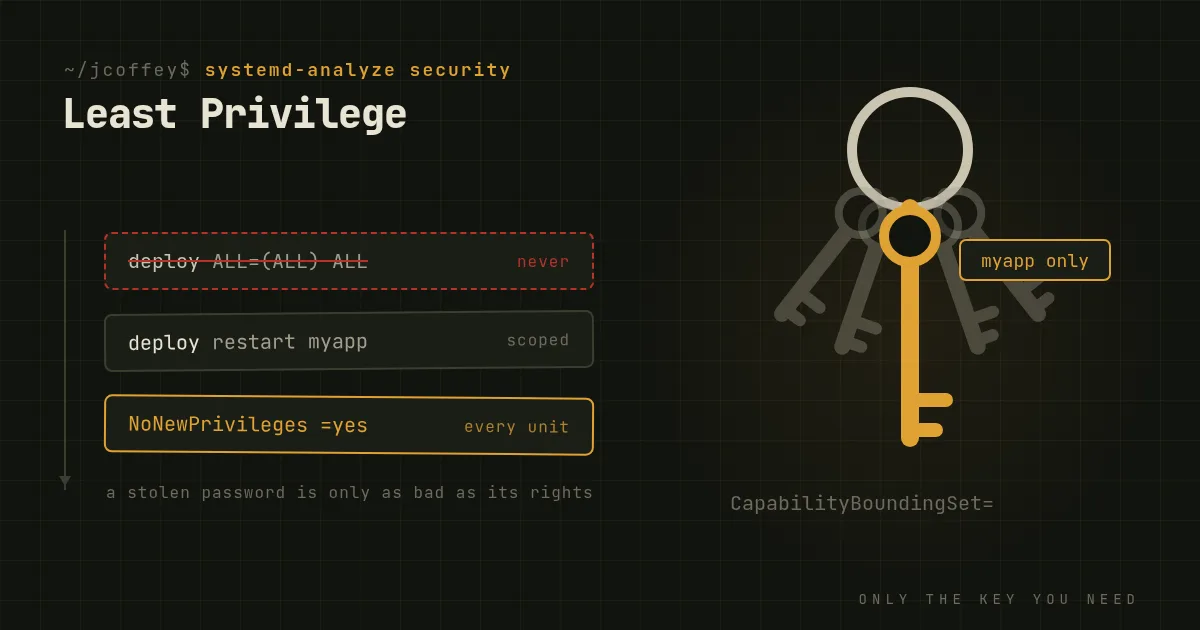
Nobody logs in as root. Disable root SSH login (PermitRootLogin no) and give administrators named accounts with sudo. Then scope sudo. A rule that lets the deploy user restart one service is very different from ALL=(ALL) NOPASSWD: ALL:
deploy ALL=(root) NOPASSWD: /usr/bin/systemctl restart myapp.service
Services don't run as root either. Every daemon gets its own user. systemd makes the rest easy, and most units should have most of this:
[Service]
User=myapp
NoNewPrivileges=yes
ProtectSystem=strict
ProtectHome=yes
PrivateTmp=yes
ReadWritePaths=/var/lib/myapp
CapabilityBoundingSet=
If the service needs to bind port 443, grant exactly that capability instead of running it as root: AmbientCapabilities=CAP_NET_BIND_SERVICE, with the same capability in CapabilityBoundingSet=. Run systemd-analyze security myapp.service and it'll grade the unit and list what's still open.
Containers aren't a privilege boundary by default. A process running as root in a container is root on a kernel shared with the host. Run as a non-root user, drop capabilities, mount the root filesystem read-only, and never mount the Docker socket into a container unless you'd also give that container the host.
Databases get one user per application. The reporting tool gets read-only access to the tables it reports on. The application gets what it uses. Nothing gets the superuser except the person restoring a backup.
In the cloud and in the org
The same rules apply at a larger scale, with more ways to get them wrong.
- Use roles, not people. Grant permissions to roles like "billing read-only" or "deploy to staging" and put people in them. When someone changes teams, they change roles, and the access follows.
- Make admin access temporary. Just-in-time access means asking for elevated rights for an hour, with a reason, and having them expire automatically. Most cloud providers and identity platforms support it now. It turns standing admin accounts into an exception.
- Treat machine identities like people. Service accounts, API keys and CI tokens outnumber humans in most environments and get reviewed far less. Give each its own identity, scope it, and use short-lived credentials wherever the platform supports them.
- Separate production. Test and development environments shouldn't hold credentials that work in production. That's the whole Microsoft story in one line.
- Review on a schedule. Every quarter, someone with authority looks at who can do what and removes what isn't needed. It's tedious. It's also the only thing that reverses the drift.
The objections
"It slows people down." A bit, at first. Then the requests become routine and the access process becomes self-service. Compare that with the time a breach costs.
"We're too small for this." Small shops have it worse. Everyone is an admin because there are only four of you, and so one phished password is the whole company. Small is exactly when a few sudo rules and a password manager with MFA make the biggest difference.
"We trust our people." Good. Least privilege isn't about distrusting your people. It's about what an attacker gets when they become one of your people, which is what a stolen password does.
Where to start
- Find every account that can do everything. Root logins, domain admins, cloud owner roles, database superusers, CI tokens with write access to production. Write the list down.
- Put MFA on all of them, today.
- Take away what isn't used. Most platforms will show you which permissions an account has actually exercised in the last ninety days.
- Harden one service a week with systemd sandboxing until they're all done.
- Schedule the quarterly review and make it someone's job.
Least privilege won't stop someone from stealing a password. It decides whether a stolen password costs you an afternoon or the company.
Since then
Added October 2026. The Change Healthcare numbers kept growing. In January 2025 UnitedHealth said the breach had exposed data on about 190 million people, the largest health data breach in US history. It started with one remote access login without MFA.