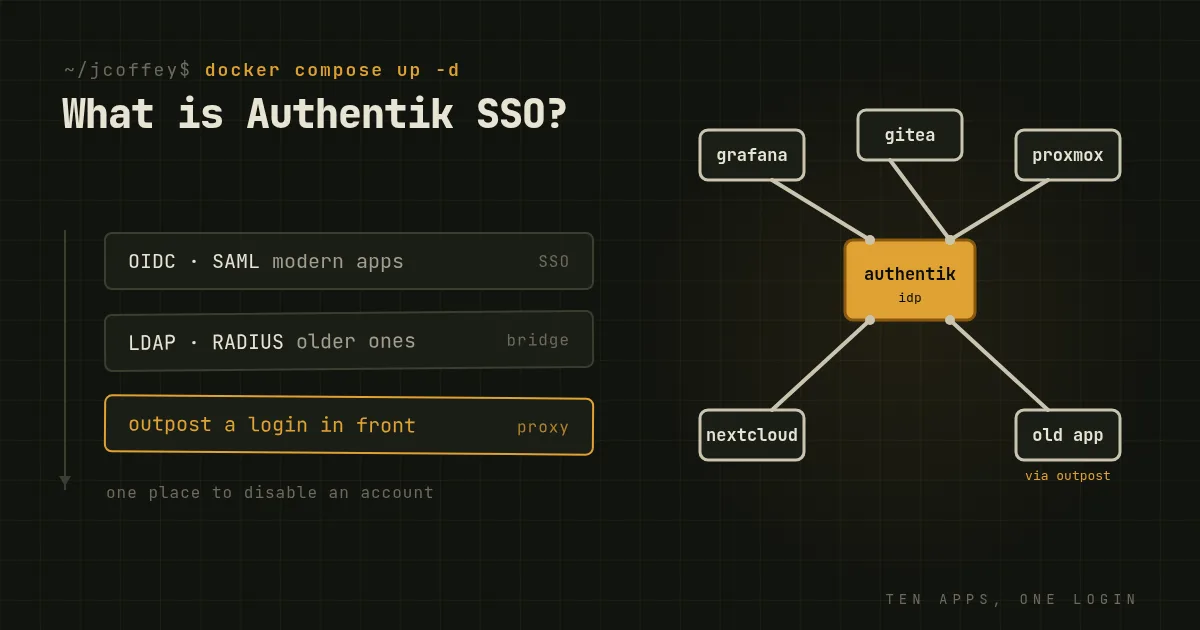
If you run more than a handful of self-hosted services, you eventually hit the identity problem: ten apps, ten user databases, ten passwords per person, and no single place to disable an account when someone leaves. The fix is an identity provider, a single service every app trusts to say who a user is.
Authentik is one of the best open source options for that. It's written in Python and Go, developed by Authentik Security Inc. and its community, and it's become a favorite of homelabbers and small-to-mid-sized organizations alike.
What it does
- Single sign-on for apps that speak OpenID Connect / OAuth2 or SAML, which covers most modern self-hosted and commercial software: Grafana, Nextcloud, GitLab, Gitea, Proxmox, Portainer and hundreds more.
- An LDAP interface, so older applications that only know how to check a username and password against LDAP can authenticate against Authentik too. There's also RADIUS, for network gear and VPNs.
- A forward-auth proxy. For web apps with no login of their own, or with one you'd rather not expose, Authentik's proxy, called an outpost, sits in front and requires a login before any request gets through. It works with Traefik, nginx and Caddy. This is one of its most useful features for self-hosters.
- Multi-factor authentication: TOTP apps, WebAuthn security keys and passkeys, and Duo.
- Flows. Login, enrollment, password recovery and consent are built as configurable flows of stages, so you can design exactly the sign-up and login experience you want without writing code.
- Sources, so users can log in with an existing account from Google, GitHub, Entra ID, another OIDC provider or an existing LDAP directory.
- SCIM for provisioning users into other systems.
How it compares
Keycloak is the established open source heavyweight, started at Red Hat and now a CNCF project. It's very capable and very widely deployed in enterprises. It's also more complex to operate, and its admin interface shows its age. Choose Keycloak if you need its maturity, its ecosystem or Red Hat support. Choose Authentik if you want a friendlier setup with a built-in proxy.
Authelia is lighter and simpler: a forward-auth portal that adds login and 2FA in front of your reverse proxy, configured with a YAML file. It's excellent for a homelab that mostly needs "put a login in front of these apps." It has less of a full identity platform's breadth.
Microsoft Entra ID, formerly Azure AD, is the default if your organization lives in Microsoft 365. It's a managed cloud service with conditional access and deep Microsoft integration, and you pay per user for the advanced features. ADFS, its on-premises predecessor, is legacy; Microsoft recommends moving off it.
Okta is the leading independent cloud identity provider, with thousands of prebuilt integrations and a polished admin experience. It's priced per user, and its 2023 support-system breach was a reminder that a cloud identity provider is a very attractive target.
Duo, owned by Cisco, is primarily an MFA product that also offers SSO, and it integrates with Authentik as an MFA method.
Where Authentik wins: you run it yourself, your user data stays on your infrastructure, it costs nothing for the core features, and the outpost proxy covers apps the others can't. Where it doesn't: you're on call for it. When your identity provider is down, nobody can log into anything, so it needs the same care as a database. Some enterprise features, like advanced auditing and support, are in a paid edition.
Installing it properly
Use the official Docker Compose file, not a hand-written one. Authentik needs four containers, PostgreSQL, Redis, the server and a worker, and a homemade Compose file that forgets the worker will appear to start and then fail in confusing ways.
On a Linux server with Docker and the Compose plugin installed:
mkdir authentik && cd authentik
wget https://goauthentik.io/docker-compose.yml

# Generate the database password and secret key, once.
echo "PG_PASS=$(openssl rand -base64 36 | tr -d '\n')" >> .env
echo "AUTHENTIK_SECRET_KEY=$(openssl rand -base64 60 | tr -d '\n')" >> .env

docker compose pull
docker compose up -d
Then open http://your-server:9000/if/flow/initial-setup/ to set the password for the built-in akadmin account.
Things to do before you rely on it:
- Put it behind HTTPS. Either set up a certificate in Authentik or, more commonly, run it behind your reverse proxy with a proper hostname like
auth.example.com. - Pin the version. The Compose file references a specific release. Upgrade deliberately, reading the release notes, rather than pulling the latest image automatically.
- Back up PostgreSQL. That's where every user, application and flow lives.
- Think about the Docker socket. The default Compose file mounts it into the worker so Authentik can manage outposts for you. That's convenient and also a lot of power. If you'd rather deploy outposts yourself, remove the mount.
- Create a break-glass admin with a strong password and a hardware key, and make sure you can still get in if your MFA device is lost.
Connecting your first app
For an app that supports OIDC, in the admin interface:
- Create a Provider of type OAuth2/OpenID, set the redirect URI the app documents, and note the client ID and secret.
- Create an Application linked to that provider, and decide which users or groups may access it.
- In the app's own settings, enter Authentik's issuer URL, the client ID and the secret.
Log out, log back in through the app, and you should be sent to Authentik and back. Once it works for one app, the rest go quickly, and you'll never have to reset ten separate passwords for one person again.