Most people who build a World of Warcraft private server do it for nostalgia. They want to see an old version of the game again. What they get, often without expecting it, is a crash course in running real services on Linux.
First, the line you need to know about.
The legal part comes first
Blizzard's terms of use forbid private servers, and Blizzard has gone to court over them. In 2010 it won a default judgment of about $88 million against the operators of one large server, Scapegaming, which had been taking money from players. In 2016 it had Nostalrius, a popular non-commercial server, shut down too.
So treat this as a lab project. Run it on your own machine or home network, for yourself, using a game client you own. Don't open it to the public, and never charge money or take "donations" for it. That's where the real legal risk is.
How the server is put together
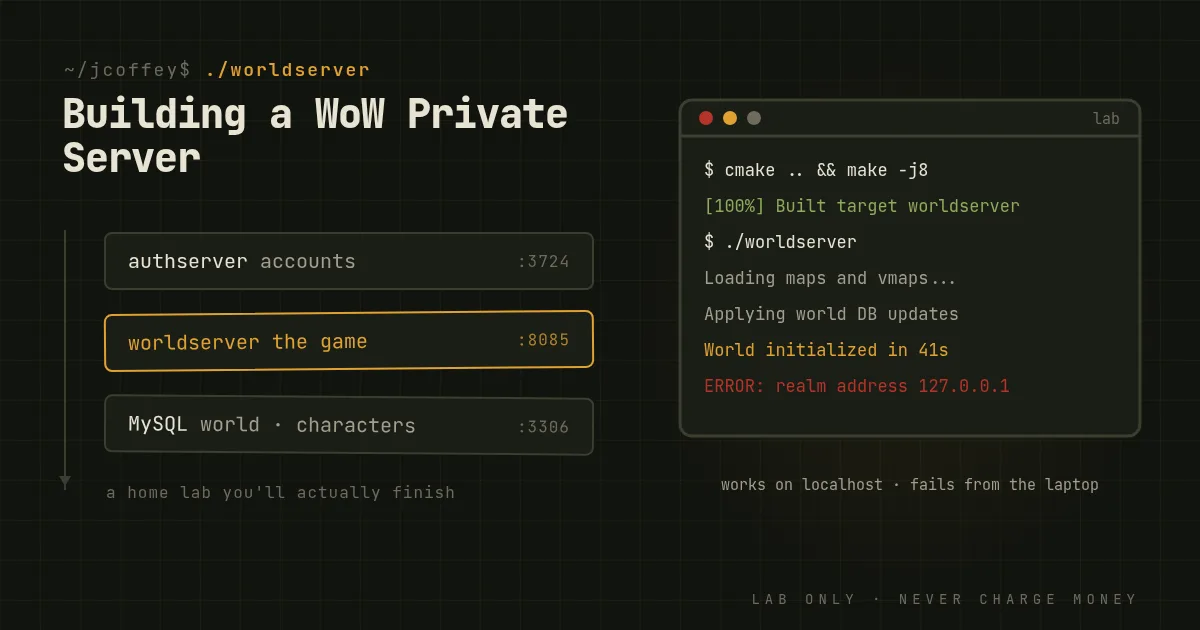
The open source projects that emulate WoW's servers, chiefly TrinityCore and its offshoot AzerothCore, plus the older MaNGOS family, split the work the same way Blizzard's own servers do:
- The auth server checks your account and shows you the list of realms.
- The world server runs the game: the map, creatures, quests, combat and everything players do.
- A database, MySQL or MariaDB, holds everything that persists: accounts, characters, items, and the game world itself.
- Data extracted from the client. You run extractor tools over your own copy of the game to pull out maps, collision data and data tables the server needs.
That's a small, real example of a system built from separate services that have to agree with each other. If the auth server and world server disagree about realm addresses, nobody gets in, and you'll learn to find out why.
What you'll actually learn
Building from source. These projects are C++ and you'll usually compile them yourself with CMake and a compiler toolchain. You'll meet missing dependencies, version mismatches and long build logs, and you'll learn to read them.
Linux administration. Running the server well means service accounts with limited permissions, systemd units so the services restart on their own, firewall rules for the few ports you need, log files, and backups you've tested. Many people run it in containers or a VM to keep it apart from everything else.
Databases. The world database is large and detailed. You'll apply update scripts in order, see why that order matters, take backups before changes, and write queries to find or fix things. It's good practice for any job where data matters.
Networking. You'll learn which addresses the server advertises to clients, why "it works on localhost but not from my laptop" happens, and how NAT and firewalls get in the way.
Reading other people's code. Fixing a broken quest or a creature that won't fight back means finding the right C++ script or database row in a big codebase. The projects also use database-driven behavior systems, and AzerothCore has modules, including one for Lua scripting.
Protocols. Even if you don't do it yourself, the projects exist because people studied the traffic between client and server and documented every message. Reading that work teaches you how real-time multiplayer games talk.
Security. Anything that listens on a network gets probed. Even a home lab is a good place to practice rate limits, strong passwords and keeping the database off the open network.
Working with a community. These are long-lived open source projects with issue trackers, code review and contribution rules. Reporting a bug well, or getting a fix merged, is a skill that carries straight into professional work.
Why it works as a teacher
A home lab is only useful if you keep at it. Most people give up on a tutorial web server after a day because they don't care about it. A game you loved gives you a reason to keep going through the boring parts: the failed build, the broken database update, the port that won't open.
By the end, you've compiled, configured, secured, backed up and debugged a multi-service system on Linux. That's a decent description of a sysadmin's job.