For more than twenty years I ran Linux systems with Bash and little else. My toolbox was one-liners full of awk, sed and grep, and I could make them do nearly anything. I was comfortable. Maybe too comfortable.
As the systems grew, so did the scripts, and big shell scripts get hard to read, hard to test and easy to break. So I gave Python a real try. It didn't replace Bash, but it changed how I think about automation.
Here are four ordinary jobs, done both ways.
1. Archiving logs
Shell:
#!/bin/sh
logdir="/var/log/myapp"
archive_dir="/archive/myapp"
mkdir -p "$archive_dir"
for file in "$logdir"/*.log; do
    gzip "$file"
    mv "$file.gz" "$archive_dir/"
done
Python:
import gzip
import shutil
from pathlib import Path

logdir = Path("/var/log/myapp")
archive_dir = Path("/archive/myapp")
archive_dir.mkdir(parents=True, exist_ok=True)

for file in logdir.glob("*.log"):
    with open(file, "rb") as f_in, gzip.open(archive_dir / f"{file.name}.gz", "wb") as f_out:
        shutil.copyfileobj(f_in, f_out)
    file.unlink()
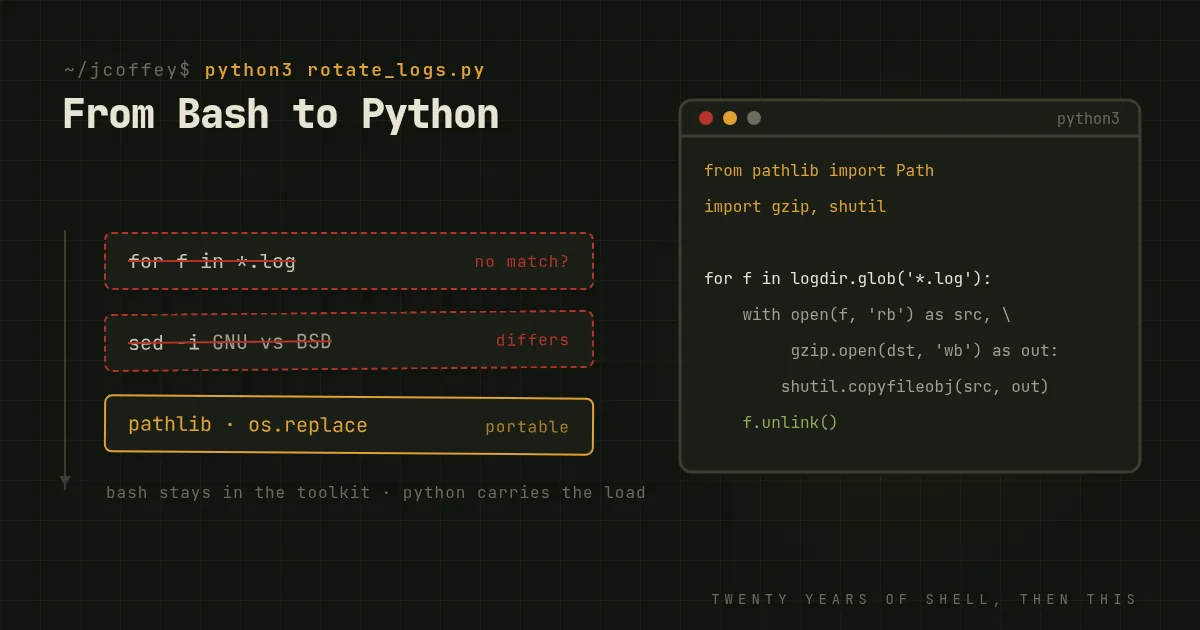
What Python adds: it doesn't depend on gzip being installed, pathlib handles paths on any system, and if there are no log files the loop simply doesn't run. The shell version would try to compress a file literally named *.log.
2. Changing a setting in a config file
Shell:
#!/bin/sh
sed -i 's/^MaxClients.*/MaxClients 200/' /etc/httpd/conf/httpd.conf
Python:
import os
import shutil
import tempfile
from pathlib import Path

config = Path("/etc/httpd/conf/httpd.conf")
shutil.copy2(config, config.with_name(config.name + ".bak"))

lines = config.read_text().splitlines(keepends=True)
new = ["MaxClients 200\n" if line.lstrip().startswith("MaxClients") else line
       for line in lines]

with tempfile.NamedTemporaryFile("w", dir=config.parent, delete=False) as tmp:
    tmp.writelines(new)
shutil.copymode(config, tmp.name)
os.replace(tmp.name, config)
What Python adds: this is longer, and that's the point. It keeps a backup, writes the new file beside the old one with the same permissions, and swaps it in with a single rename, so the config is never half-written. It's also easy to add a check, such as running the server's config test before swapping. Note sed -i differs between GNU and BSD systems, so the shell one-liner isn't as portable as it looks.
3. A quick inventory report
Shell:
#!/bin/sh
hostname=$(hostname)
uptime=$(uptime | cut -d',' -f1)
disk=$(df -h / | awk 'NR==2 {print $4}')

echo "Host: $hostname"
echo "Uptime: $uptime"
echo "Free disk space on /: $disk"
Python:
import platform
import shutil
import socket
from pathlib import Path

hostname = socket.gethostname()

if platform.system() == "Linux":
    seconds = float(Path("/proc/uptime").read_text().split()[0])
    uptime = f"{seconds / 86400:.1f} days"
else:
    uptime = "unknown on this OS"

free_gb = shutil.disk_usage("/").free // (1024 ** 3)

print(f"Host: {hostname}")
print(f"Uptime: {uptime}")
print(f"Free disk space on /: {free_gb} GB")
What Python adds: no parsing of other commands' output, which changes between systems and versions. The values come back as numbers you can compare, alert on or send somewhere as JSON.
4. Restarting a service that's down
Shell:
#!/bin/sh
service="nginx"
if ! systemctl is-active --quiet "$service"; then
    echo "$service is down, restarting..."
    systemctl restart "$service"
fi
Python:
import platform
import subprocess

def is_active(service):
    return subprocess.run(["systemctl", "is-active", "--quiet", service]).returncode == 0

def restart(service):
    subprocess.run(["systemctl", "restart", service], check=True)

service = "nginx"
if platform.system() != "Linux":
    print("Service checks need systemd")
elif not is_active(service):
    print(f"{service} is down, restarting...")
    restart(service)
What Python adds: honestly, not much for a job this small, and the shell version is fine. The difference shows when it grows: checking several services, retrying, logging, and alerting someone. Functions and exceptions keep that readable. The same job in shell turns into a page of nested ifs.
Why Python changed things for me
- Portability. The same script runs on Linux, the BSDs and macOS, and often Windows, with far fewer surprises.
- Errors you can handle. Exceptions stop a script when something fails, unless you decide otherwise. Shell scripts carry on by default.
- Structure. Functions, modules and tests let a script grow into a tool without becoming unreadable.
- No quoting traps. No word splitting, no globbing surprises, no subshells eating your variables.
- A huge library. JSON, YAML, HTTP APIs and databases are a module away.
Where Bash still wins
Bash will always be in my toolkit. It's quick, it's on every Linux system, and it's the natural glue for running other commands.
But Python isn't just a scripting language. It's a portable, maintainable platform for automation. If you're a longtime admin who still does everything in Bash, try spending a month rewriting your most-used scripts in Python. You'll handle edge cases better, and you'll have scripts the next person can actually read.