Every security team collects threat information: vendor reports, government advisories, indicator feeds, notes from its own incidents. Usually it ends up scattered across PDFs, spreadsheets, a wiki and people's memories. When an alert fires, nobody can quickly answer "have we seen this IP before, who uses it, and what else do they do?"
OpenCTI is an open source platform built to answer exactly that. It started in 2019 as a project with France's national cybersecurity agency, ANSSI, and the EU's CERT, and is now developed by Filigran, a company that also sells hosted and enterprise editions. The core platform is open source.
What threat intelligence is
Threat intelligence is knowledge about adversaries that helps you defend against them. It comes in layers:
- Indicators: IP addresses, domains, file hashes and URLs associated with malicious activity. Easy to use, quick to go stale.
- Behaviors: the techniques an attacker uses, usually described with MITRE ATT&CK: how they get in, move around and steal data. Much more durable than indicators.
- Context: who the threat actors are, what they target, which campaigns and malware they're linked to, and how confident you should be in any of it.
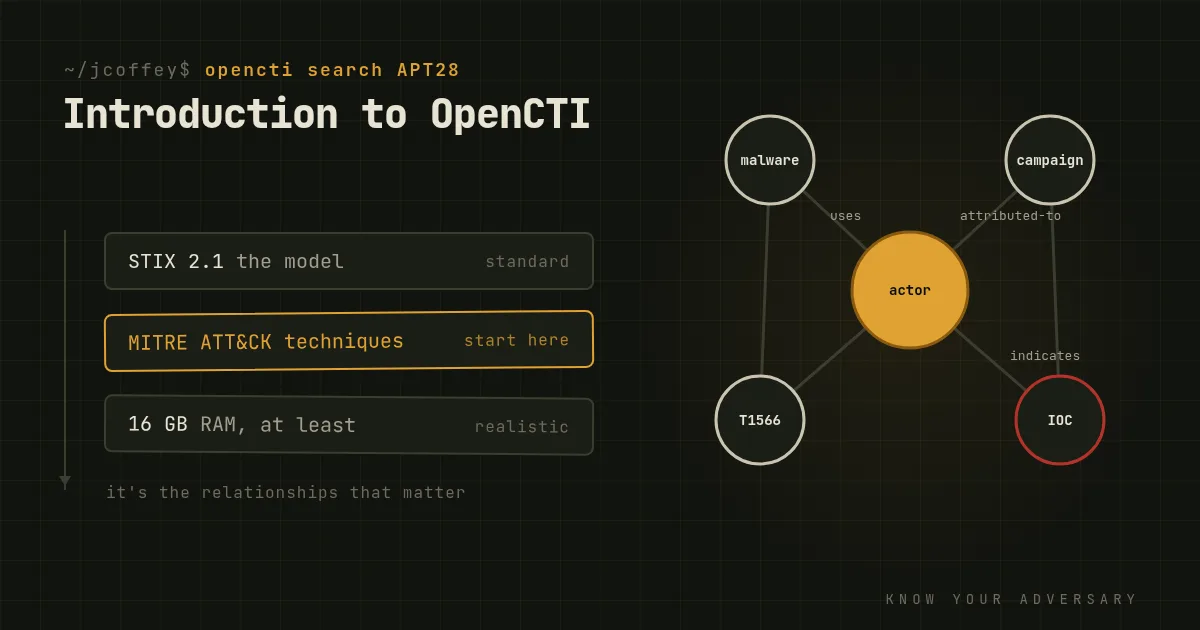
The value isn't in any single fact. It's in the relationships between them: this domain hosted this malware, used by this group, in this campaign against this industry, using these techniques. That's what OpenCTI is built around.
How OpenCTI works
Everything is STIX. OpenCTI stores its knowledge using STIX 2.1, the open standard for describing threat intelligence: objects like threat actors, malware, indicators, attack patterns and reports, linked by typed relationships. That makes it easy to import from and export to other tools, and to share with partners.
Connectors bring data in and out. OpenCTI has a large library of connectors: importers for MITRE ATT&CK, government advisories, commercial and open feeds and MISP; enrichment connectors that look up observables in services like VirusTotal or Shodan; and exporters that push indicators to your SIEM, EDR or firewall.
The interface is a knowledge graph. Analysts can open a threat actor and see every report, indicator, technique and victim linked to it, explore relationships visually, track how a campaign evolves and build dashboards for different audiences.
It's built for collaboration, with workspaces, access controls and markings like the Traffic Light Protocol to control what can be shared with whom.
OpenCTI and MISP
The other major open source platform is MISP, originally the Malware Information Sharing Platform. They overlap but have different strengths:
- MISP excels at sharing: exchanging events and indicators quickly between organizations and communities, and it's the backbone of many national and sector sharing groups.
- OpenCTI excels at modeling and analysis: a structured, long-term knowledge base of actors, campaigns and techniques.
Many teams run both, with MISP feeding indicators into OpenCTI through a connector.
What it takes to run
This is where many introductory guides are too breezy. OpenCTI isn't a single container. A deployment includes:
- the platform itself (a Node.js API and web interface),
- workers that process incoming data,
- Elasticsearch or OpenSearch for storage and search,
- Redis for caching and event streams,
- RabbitMQ for messaging,
- S3-compatible object storage for files, MinIO in the default setup,
- and one container per connector you enable.
It's realistic to plan for 16 GB of RAM or more for a modest production instance, and much more as your data grows. Elasticsearch in particular wants memory and fast disks, and needs the host setting vm.max_map_count raised.
The quickest way to try it is the official Docker setup:
git clone https://github.com/OpenCTI-Platform/docker.git opencti
cd opencti
cp .env.sample .env
# Edit .env: set the admin email and password, generate a UUID
# for OPENCTI_ADMIN_TOKEN and each connector ID (uuidgen),
# and replace every default password.
sudo sysctl -w vm.max_map_count=1048575
docker compose up -d
The interface comes up on port 8080. Put it behind HTTPS and authentication before anyone else uses it, since it will hold sensitive information about your organization's threats and incidents.
Where to start
Don't try to ingest every feed on day one. You'll drown in indicators of unknown quality.
- Start with MITRE ATT&CK and your government's cybersecurity advisories, so you have a solid base of actors and techniques.
- Add your own incidents. The intelligence most relevant to you is what you've already seen.
- Add a small number of good feeds, relevant to your industry, and watch their quality.
- Connect one consumer, typically your SIEM, so the intelligence actually changes what your detection does.
Threat intelligence that nobody uses is just a very organized hobby. The goal is for every analyst to be able to ask "what do we know about this?" and get an answer in seconds.
Since then
Added October 2026. One dependency to watch: MinIO, the object storage OpenCTI's default setup uses, stripped features from its community edition in 2025 and went into maintenance mode. Any other S3-compatible store works, and that's worth planning for in new deployments.