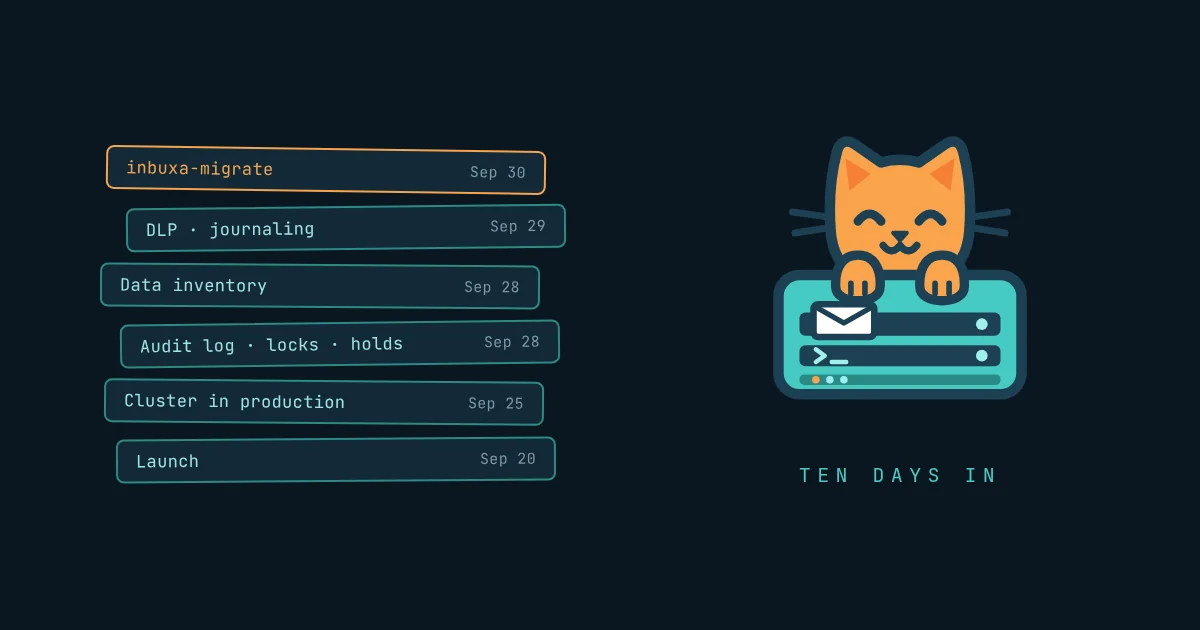
Ten days ago, inbuxa Is Here made the argument: one edition, every feature in the install, and the web interfaces kept off the machine that holds the mail. Two days ago, How Email Got Hard walked through the forty years of layers a mail server has to get right, and what inbuxa does about each. I'm not going to make either case again. An argument is cheap; what matters is whether the software keeps showing up.
So this is the other half. What shipped, what runs, what you can try, what still isn't built, and where I'd love some help.
The migration tool is out
The launch post said the migration tool was "specified and not yet built". It's built. inbuxa-migrate had its first release today, v2026.9.30, as Linux archives for amd64 and arm64.
It reads from:
- any JMAP account, including another inbuxa or a Stalwart server
- IMAP, for mail
- a local Maildir tree
- a Google Takeout export
- Exchange Server, through EWS
- Exchange Online, through Microsoft Graph
Calendars and contacts come across over CalDAV and CardDAV.
It works in two passes: export everything once while people keep using the old server, then run it again at cutover and it carries only what changed since. A message filed in three folders arrives once, in all three. An interrupted run keeps what it already wrote. A dry run tells you what will be refused before anything is written.
If you're coming from Stalwart, your Sieve filters come with you: the tool renames Stalwart's extensions to inbuxa's as it goes.
It's a fork of Stalwart Labs' Vandelay, and it keeps Vandelay's permissive license, Apache-2.0 or MIT. That matters for the last section.
Compliance, in the one edition
How Email Got Hard ended on the legal side of running mail: retention, litigation holds, audit logs, and privacy laws that conflict with all of them. That's where most of the last ten days went: the features you need the day somebody leaves, somebody sues, or somebody asks what you keep about them. Two of them, data loss prevention and journaling, shipped right after that piece went out.
- An audit log. Who did what, how they signed in, and the record before and after, with filters, a tamper check, and exports that carry a reason and a SHA-256.
- Locked accounts. Lock someone's account when they leave, and hand it to named delegates with the access you choose. Delegates open it from the webmail without signing in again, under a red bar that says whose mail they're reading.
- Legal holds. Hold an account's mail, deleted items included, and export what a hold keeps with a checksum for every file.
- Data loss prevention. Rules that warn, hold or block outgoing mail by what it contains. A warning in the webmail offers "send anyway" with a reason the server records.
- Journaling. A copy of mail, in or out, to a journal you can search and export.
- A data inventory. What personal data the server holds, which of it has no time limit, and what leaves the server, with the setting that changes each.
None of it asks for a license, because there's nothing to ask. A family server and one carrying fifty organizations run the same install.
One server, or several
inbuxa runs on a single server, and most people will never need more. It can also run as a cluster: several nodes, each able to take mail in and send it out, sharing one PostgreSQL database, a message bus and object storage. The software doesn't change between the two. A cluster is the same program, pointed at shared storage.
My own mail, and the other people's mail I carry, has run on a three-node cluster since 25 September. Three is my choice, not a number inbuxa asks for.
The point of more than one is that one can go away. Earlier this evening two of them rebooted for operating-system updates, half an hour apart, in the middle of a release. The database moved its leader to a surviving node, the other nodes kept taking mail, and when each machine came back it rejoined on its own. Nobody's mail stopped.
Every release since the cutover has rolled out the same way: one node at a time, each back in a couple of seconds, the rest carrying the load meanwhile.
I'll write up the architecture properly in its own piece.
Try it without installing anything
demo.inbuxa.org puts the webmail and the console side by side in your browser. Pick who you are: an ordinary user, a compliance officer, a tenant's administrator, or the server's.
It's a demo, not a trial. There's no real mail server behind it and nothing leaves the sandbox, so anything that would reach out says so instead. But the screens are the real ones, and it's the quickest way to see whether the console reads the way I've been claiming it does.
Still not built
The single-command installer. It's specified: a full-screen terminal installer that puts the server, the console and the webmail where you choose, in containers or on bare metal, one machine or several. It isn't written yet.
Until it is, the install is the step-by-step route at docs.inbuxa.org. I'd rather say that than show you a command that doesn't exist.
And no installer will fix what How Email Got Hard called the record you don't control. Reverse DNS and IP reputation stay with your provider. When the installer ships, it will check them and tell you exactly what to ask for, instead of letting your first mail quietly land in spam.
Where you can help
The mail server is a large Rust codebase, and I wouldn't point anyone at it as a first contribution. The migration tool is different.
Every source it reads has its own importer: a self-contained piece that knows one way of storing mail and turns it into the tool's archive. Email migration is mostly edge cases, and the edge cases live in the sources nobody has written an importer for yet. Three I'd most like to see:
- Outlook PST files
- cPanel backups
- Zimbra exports
None of them is on my own list yet, so this is open ground. If you've ever had to get mail out of one of them, you already know the hard part. The license is Apache-2.0 or MIT, so what you write can be reused anywhere. The code, and how to build and test it, is at git.coffeylabs.org/inbuxa/inbuxa-migrate.
Money helps too. inbuxa is free, and it will stay one edition. Building it isn't free. The servers it's built, tested and demonstrated on, Cloudflare in front of the sites and the demo, the domains, and the hosted services around them all cost money, and as the project grows that bill has started to climb. If inbuxa is useful to you, or you'd just like it to keep existing, sponsoring me on GitHub is what pays for it.
Sponsors don't get a better inbuxa, because there's only one. They get one that keeps going.
And a star costs nothing. Starring inbuxa on GitHub is how people browsing for a mail server find it, and it tells me which parts you care about.
- The site: inbuxa.org
- The demo: demo.inbuxa.org
- The migration tool: git.coffeylabs.org/inbuxa/inbuxa-migrate
- The docs: docs.inbuxa.org
- GitHub: github.com/inbuxa
- Sponsor: github.com/sponsors/jcoffey-dev
- Me: @[email protected], or the feed